
OKX sign-up at a glance
OKX · Referral Code
cryptperks| Item | Detail |
|---|---|
| Referral code | cryptperks |
| Offer on our sign-up page[1] | 20% off trading fees. The page shows no headline welcome figure; new-user tasks appear in OKX's Campaign center after sign-up and vary by country (page seen 29 September 2026). |
| Requirements[2] | You must be at least 18 years old, and both a mobile phone number and an email address must be bound to the account. |
| Order of screens[2] | Country or region and terms, then Create account; email address and optional referral code; emailed code; phone number with country code; SMS code. |
| Where the code goes[2] | The optional "Referral code" field beside the email address on the sign-up screen, website and app. |
| Add the code later?[3] | Add it when you sign up: our link applies it. OKX says referral codes must be added before the account is created and cannot be added or changed afterwards. |
| Verification path[4] | Website: profile icon, then Verification, then Continue under Individual account. App: Menu, then Account settings, then Identity verification. |
| What you provide[4] | Country of residence, nationality, full name, date of birth, ID number and type, residential address, a government-issued ID and a selfie inside an oval frame. |
| Review time[4] [5] | OKX says it reviews an application within 24 hours; most reviews finish quickly but some need extra checks. |
| Minimum deposit[7] | Shown on the deposit page for each coin; OKX tells you to deposit at least that amount. |
| Not available in[6] | Fully restricted places include Canada, Hong Kong, India, Japan, Malaysia and the United States with its territories; some services are limited in the United Kingdom, Australia, Brazil and South Korea (list below). |
Facts are from OKX's own pages, read on 30 September 2026 unless a row says otherwise. The numbers in brackets point to the sources at the foot of the page.
20% lower trading fees through this link
Step 1: Start from our link
The button above opens OKX's registration page with the referral code cryptperks already filled in. OKX's registration guide says you can sign up either through a referral link shared by someone or by entering a referral code during registration [2]. If you go to OKX yourself, select Sign up on the website or in the app.
Get this right the first time: OKX's referral FAQ says referral codes must be added before the invitee creates the account, and it won't be possible to add or change the code once the account exists [3].
Step 2: Select your location
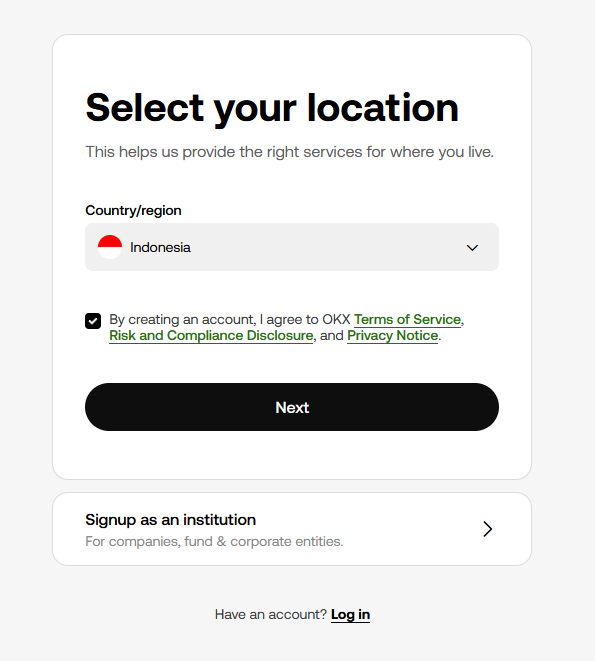
OKX opens with a location screen. Choose your country or region, accept the terms, then continue to Create account [2]. In our screenshot the screen also offered a separate "Signup as an institution" option for companies; individuals use the standard flow.
Pick your real country and nationality: OKX says you cannot get around an unavailable option by choosing a different country or region [5].
Step 3: Enter your email and confirm the referral code
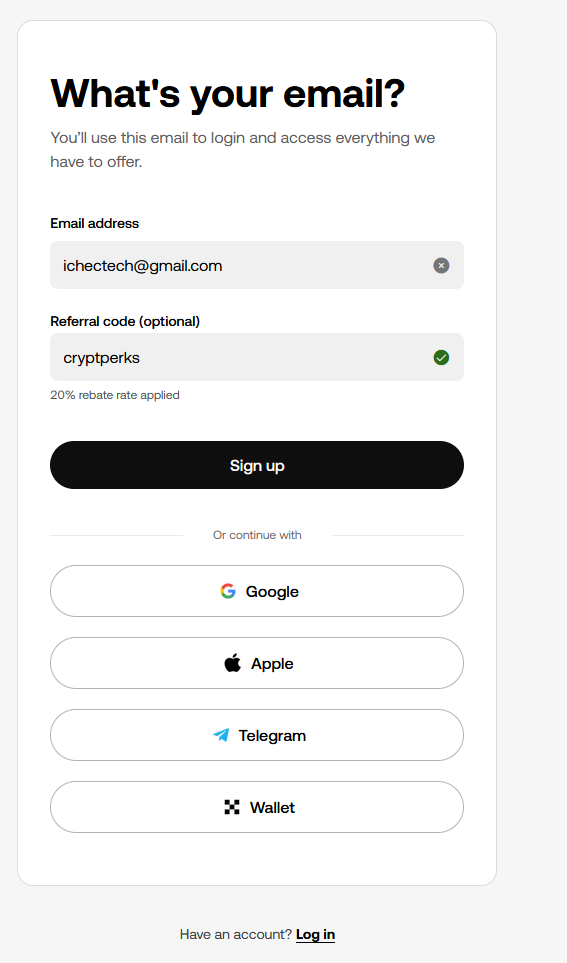
Enter your email address and, if the field is empty, the optional referral code cryptperks, then select Sign up [2]. If you came through our link, the code is already there; in our screenshot a green checkmark and the line "20% rebate rate applied" appeared beside it.
OKX's registration guide mentions only email and phone number [2]. The form in our July 2026 screenshots also offered Google, Apple, Telegram and Web3 Wallet options; if you use one of those, check that the code is still shown before you confirm.
Finding the email in your inbox
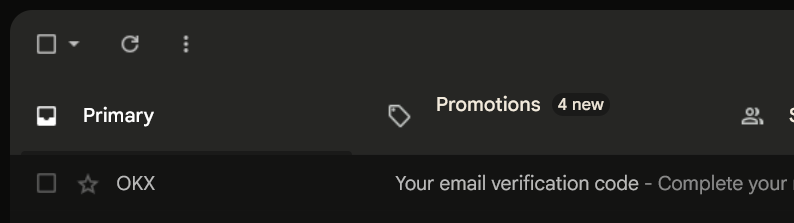
In our test the message came from OKX with the subject "Your email verification code". If it is not in your main inbox within a minute, check Promotions and spam.
Step 4: Verify your email with the 6-digit code
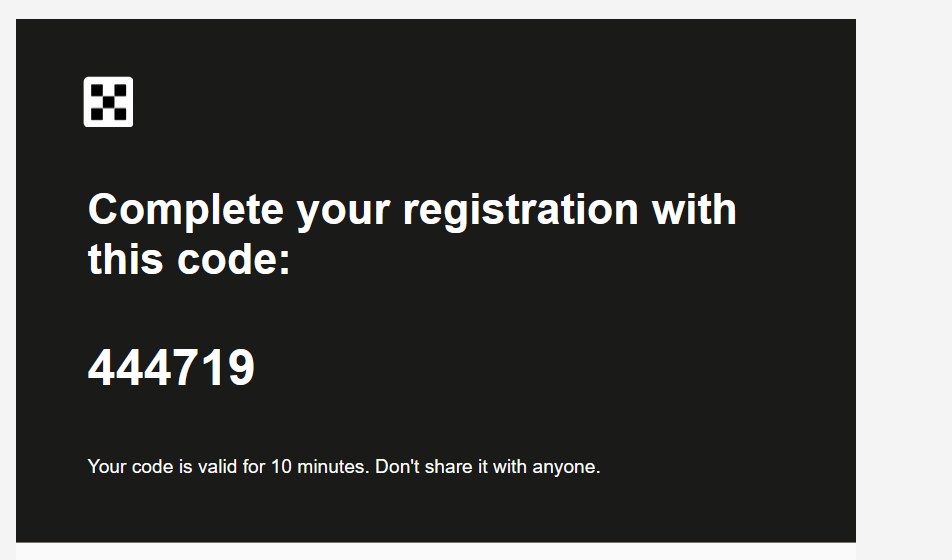
Enter the email verification code OKX sends [2]. The email we captured showed a 6-digit code and a 10-minute validity. Use the Resend code button if it expires.
Step 5: Add your phone number
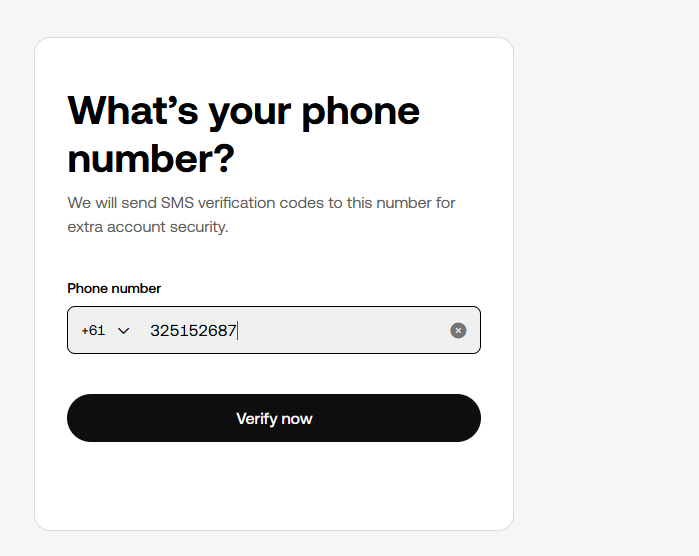
Add your phone number with its country code and select Verify now (Next in the app) [2]. OKX requires both a phone number and an email address to be bound to the account [2].
Step 6: Enter the 6-digit SMS code
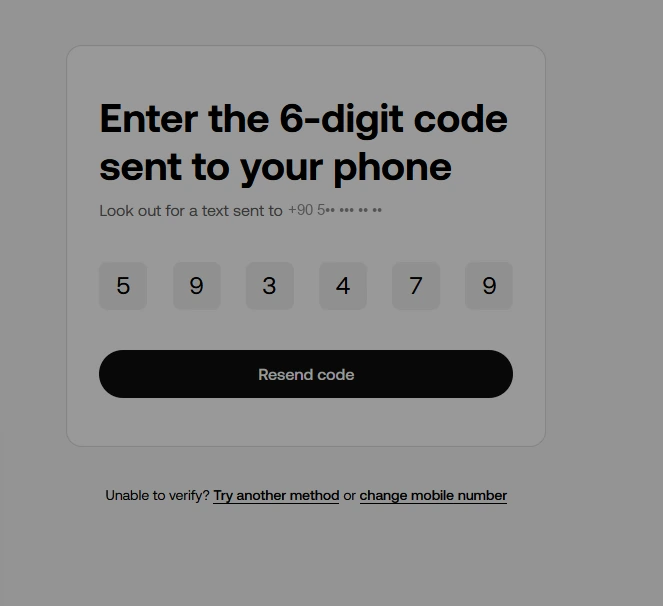
Enter the phone verification code to complete registration [2]. If the SMS does not arrive within a minute, use Resend code; in our screenshot a "Try another method" option was available.
Step 7: Verify your identity
On the website open the profile icon, select Verification and choose Continue under Individual account. In the app go to Menu, then Account settings, then Identity verification under Profile [4]. You enter your country of residence, nationality, full name, date of birth, ID number and type, and residential address [4].
Upload a valid government-issued ID from an eligible country, such as a passport or driving licence, showing your full name, date of birth and issue and expiry dates, legible with a clear photo. For the selfie, your entire face must sit within the oval frame with nothing covering it, such as a mask, glasses or a hat [4]. OKX takes original documents only: no copies, screenshots or electronic versions [5].
Where proof of address applies, the document must be issued within the last 6 months for users in the EEA and within 3 months elsewhere [4]. Some places, including Türkiye and the UAE, have more specific document rules, and the list shown on your own identity page is the definitive one [5].
OKX says it will review your application within 24 hours of submission [4]. Don't resubmit the same information while the status shows Submitted or Under review, and you can't reuse identity information already on another account [5]. OKX's articles do not describe separate verification levels or limits.
Your first deposit
Crypto: OKX's deposit article tells you to deposit at least the minimum amount shown on the deposit page for your coin, to select the network the sending platform supports, and to fill in the memo, tag or comment when the coin needs one. A missing or wrong network or tag can lead to deposit failure [7].
Card: OKX says it accepts Visa or Mastercard credit and debit cards from most regions; in Singapore and the US only debit cards work. It lists fees by currency: 1.99% for EUR, 2.49% for USD, 2.49% for SGD, 1.50% for AUD and 3.00% for AED, subject to change. Your bank may treat a credit card purchase as a cash advance. The article states no purchase limits and no verification requirement [8].
What you will pay
The table shows OKX's standard-tier spot and futures fees as CryptPerks records them from OKX's fee page, last read in a browser on 29 September 2026 [9]. Your own rate depends on your region, trading volume and promotions.
Standard trading fees on OKX
| Market | Maker | Taker |
|---|---|---|
| Spot | 0.08% | 0.10% |
| USDT-margined futures | 0.02% | 0.05% |
Standard-tier (VIP 0) rates from the comparison data CryptPerks keeps for all six exchanges. Your own rate depends on your region, VIP tier and promotions, and referral rebates or vouchers are separate from it. Check the exchange's fee page before you trade.
Country availability
OKX's Risk & Compliance Disclosure (last updated 8 July 2026) lists these fully restricted places: Afghanistan, Canada, Cuba, Hong Kong, Iran, India, Japan, Malaysia, Nepal, North Korea, Syria, the Crimea, Donetsk and Luhansk regions of Ukraine, certain jurisdictions in the United States including all US territories, and Uzbekistan. It lists partial restrictions too: Australia (derivatives and CeFi), the Bahamas (retail products), Brazil (derivatives and P2P), Eritrea (P2P), Russia (fiat payment services), South Korea (derivatives and P2P) and the United Kingdom (derivatives, CeFi and P2P) [6].
The list is OKX's, not ours, and it does not say whether local rules allow you to use the exchange. Read the disclosure before you register.
Need help?
No email code: check Promotions and spam, then use Resend code. No SMS: use Resend code or Try another method, and check the country code on your phone number.
Verification stuck or rejected: OKX says to correct the issue it states and submit again through the identity page, to close and reopen the flow or switch device for technical problems, and to use a genuine, original document [5].
Deposit missing: check that the amount met the coin minimum, that the network matched, and that any memo or tag was included [7].
Sources
Every page below is an official OKX page except the first, which is the sign-up page our own link opens. Pages were read on 30 September 2026 unless a note says otherwise; the dates in brackets are the dates the pages show. Offers change, so check OKX before you deposit.
- [1]The OKX sign-up page our link opens — seen 29 September 2026; we entered nothing on it
- [2]OKX Help: How do I sign up for an OKX account? — updated 11 August 2026https://www.okx.com/help/okx-account-registration-guide
- [3]OKX Help: Referral Program FAQ — updated 14 September 2026https://www.okx.com/help/what-is-okx-referral-program
- [4]OKX Help: How do I verify an individual account? — updated 25 August 2026https://www.okx.com/help/how-do-i-verify-an-individual-account
- [5]OKX Help: Individual identity verification: eligibility, review time and supported documents — updated 28 August 2026https://www.okx.com/help/individual-identity-verification-eligibility-review-time-and-supported
- [6]OKX Risk & Compliance Disclosure — last updated 8 July 2026https://www.okx.com/help/risk-compliance-disclosure
- [7]OKX Help: Why hasn't my deposit been credited? — updated 22 September 2026https://www.okx.com/help/why-has-not-my-deposit-been-credited
- [8]OKX Help: How do I buy with debit or credit cards? — updated 4 September 2026https://www.okx.com/help/how-do-i-buy-with-debit-credit-cards
- [9]OKX trading fee page — seen 29 September 2026https://www.okx.com/fees