
MEXC sign-up at a glance
MEXC · Referral Code
mexc-Cryptperks| Item | Detail |
|---|---|
| Referral code | mexc-Cryptperks (case-sensitive) |
| Offer on our sign-up page[1] | Up to $10,000 in new-user rewards for sign-up, KYC, deposit and trade tasks, plus "Commission sharing: Spot 20.00% / Futures 20.00%" (page seen 29 September 2026). |
| Sign-up methods[2] [3] | Email, mobile number, or a Google, Apple, MetaMask or Telegram login on the web; the app adds wallet connection. |
| Password[2] | At least 10 characters, including uppercase and lowercase letters, numbers and symbols. |
| Security check[2] | A slider puzzle, then a 6-digit code sent to your email. |
| Where the code goes[2] [3] [4] | The optional referral field: "Enter Referral Code" on the web, or the arrow (▾) in the app. Opening our link applies the code automatically. |
| Add the code later?[5] | Yes, within 30 days of signing up and on a main account only; the link cannot be changed afterwards. |
| Primary KYC[6] | Crypto withdrawals up to 80 BTC a day; fiat through P2P; spot and futures trading. |
| Advanced KYC[6] | Crypto withdrawals up to 200 BTC a day; fiat trading up to 20,000 USD a day; spot and futures trading. |
| KYC review[6] | Normally within 15 minutes, sometimes 8 to 24 hours; up to 3 Primary and 3 Advanced attempts a day. |
| Minimum deposit[8] | No single figure: some coins have a minimum, and a deposit below it is not credited and cannot be refunded. |
| Not available in[10] | North Korea, Cuba, Sudan, Iran, Mainland China, Singapore, Malaysia, the United States, the United Kingdom, Hong Kong, Kazakhstan, Canada and other listed places (list below). |
Facts are from MEXC's own pages, read on 30 September 2026 unless a row says otherwise. The numbers in brackets point to the sources at the foot of the page.
20% lower trading fees through this link
Step 1: Open the MEXC sign-up page
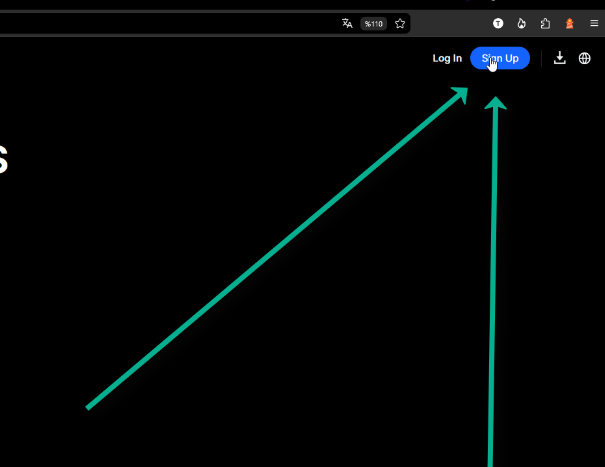
Our link opens MEXC's sign-up page with the code already in place. If you go to MEXC yourself, press the blue Sign Up button in the top-right corner of the homepage, as in the screenshot; MEXC's own web guide starts the same way [2].
In the app, a new user's first login counts as the sign-up [3]. Whichever way you arrive, check the referral code before you create the account (Step 3): it is simpler than fixing it afterwards, and the fix has a 30-day limit [5].
Step 2: Sign up with your email address
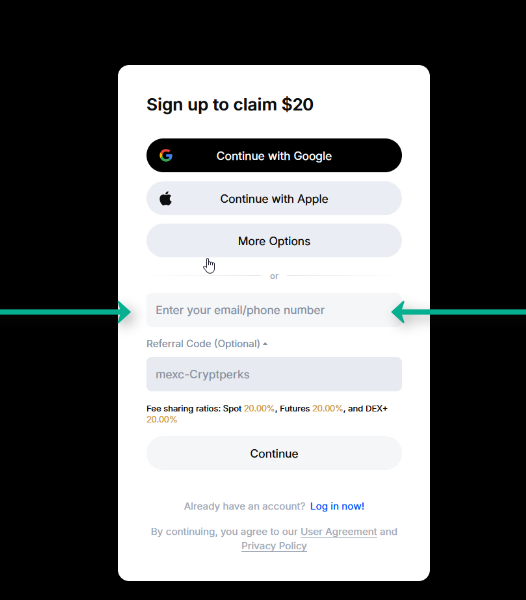
MEXC accepts an email address or mobile number and, on the web, a Google, Apple, MetaMask or Telegram login; the app adds wallet connection [2][3]. Our screenshots use email.
MEXC's web guide describes the standard form as email or mobile number plus a password, then Sign Up [2]. The form in our July 2026 screenshots took the email first and set the password later, so if your screen differs, follow its prompts. Whatever the order, the password needs at least 10 characters with uppercase and lowercase letters, numbers and symbols [2].
Step 3: Check the referral code field
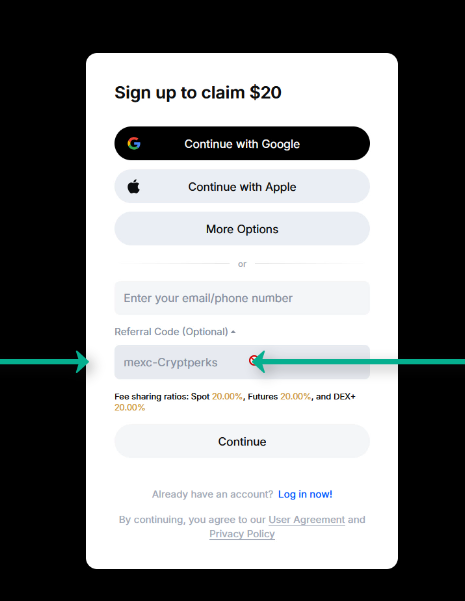
The referral field is optional. On the web MEXC calls it "Enter Referral Code"; in the app you tap the arrow (▾) to reveal it [2][3]. If you opened MEXC through our link, mexc-Cryptperks is already in it (case-sensitive: capital C, lowercase mexc). If the field is empty, type the code exactly as written.
MEXC says a referral link opened in a browser applies the code automatically, while typing it is the manual route [4].
If you forget, MEXC's Self-Service Referrer Linking Guide lets an account that signed up within the past 30 days link a referrer by entering the referral code or the referrer's UID. Only main accounts can do it, the referrer must have registered before you, and the link cannot be changed once made [5].
What the form shows: commission sharing and the rewards headline
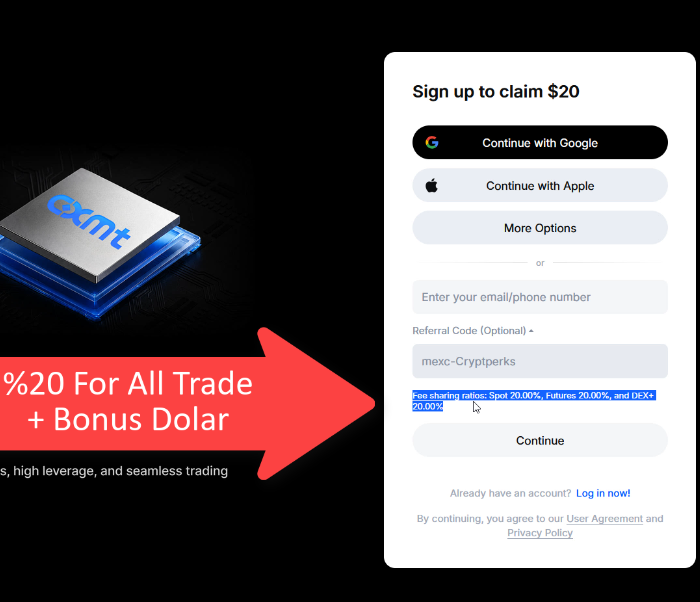
Under the code field the sign-up page for our link shows "Commission sharing: Spot 20.00% / Futures 20.00%", and its headline offers up to $10,000 in new-user rewards for sign-up, KYC, deposit and trade tasks, with rewards and missions varying by region (page seen 29 September 2026) [1].
Treat the $10,000 as a maximum. MEXC's Rewards Hub terms say tasks and rewards are time-limited and first-come, first-served, rewards must be claimed within their claim period, every reward goes through a risk review that typically takes up to 7 calendar days, and some tasks need Primary or Advanced KYC before you can claim [12].
Step 4: Slide to complete the puzzle
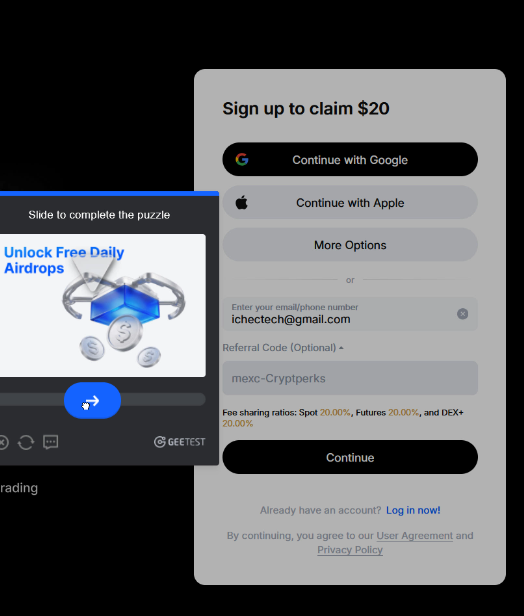
After you continue, MEXC shows an anti-bot check: drag the slider until the piece fits the gap. Once it passes you are taken to the next screen automatically [2].
Step 5: Confirm the 6-digit email code
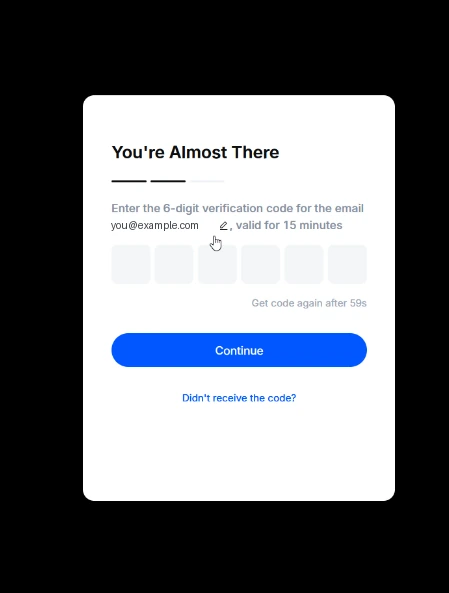
Enter the 6-digit code MEXC emailed you and press Confirm. If it does not arrive, check your spam or trash folder, then press "Haven't received verification code?" to ask for another [2].
If you use a third-party login instead, MEXC has you confirm the login, click "Sign Up for a New MEXC Account", enter an email or mobile number and password, accept the User Agreement and Privacy Policy, pass the security check and enter the 6-digit code [2]. In the app a Google sign-up ends with a verification code and a "Link Now" button [3].
Step 6: Log in to your account
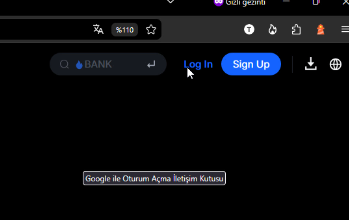
From here on you enter through the Log In button next to Sign Up in the top navigation, with the email and password you created. A new device may show the same puzzle check again.
Step 7: Open Identification from the profile menu
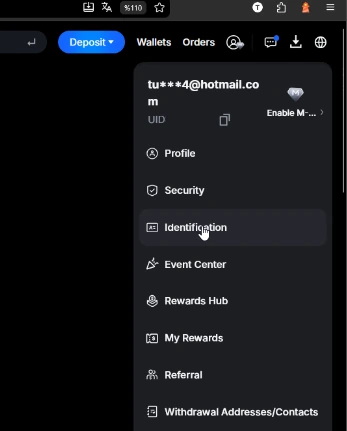
Click the round profile icon in the top-right corner. The menu shows your email and UID; Identification is MEXC's name for identity verification (KYC).
Step 8: Complete KYC (Primary or Advanced)
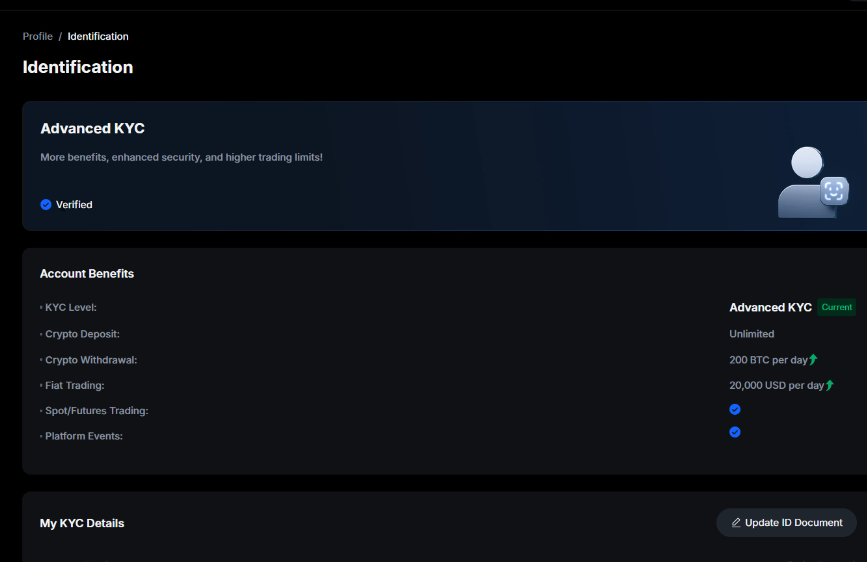
| Level | Crypto withdrawal | Fiat | Crypto deposit |
|---|---|---|---|
| Primary KYC | 80 BTC per day | P2P | Unlimited |
| Advanced KYC | 200 BTC per day | 20,000 USD per day | Unlimited |
Source: MEXC KYC FAQ, dated 2 June 2026, read 30 September 2026. Both levels allow spot and futures trading. [6]
MEXC accepts an ID card, passport, driver's license or residence permit. Upload JPG, JPEG or PNG files under 5 MB of the original document with your full name and photo clearly visible; screenshots, photocopies, expired documents and documents issued by a restricted country are refused [7].
Reasons MEXC lists for a rejection include a blurry or unsupported document, key details not fully visible, a document already used on other accounts beyond the platform limit, and details that differ between Primary and Advanced KYC. The result is sent by email [7].
Under normal circumstances a review finishes within 15 minutes, though MEXC says some take 8 to 24 hours. You can apply for Primary KYC up to 3 times a day and for Advanced KYC up to 3 times a day [6]. MEXC's card guide puts Advanced KYC at 24 to 48 hours [9].
MEXC says that not completing KYC may affect access to deposits, withdrawals and trading, depending on the rules of your region. It publishes no fixed limit for unverified accounts [6].
Your first deposit
MEXC card purchase limits
| Currency | Per transaction | Per day |
|---|---|---|
| USD | 5,000 | 10,000 |
| EUR | 5,000 | 10,000 |
| GBP | 5,000 | 10,000 |
| AED | 18,000 | 36,000 |
| BRL | 28,000 | 56,000 |
Source: MEXC's card guide, dated 22 June 2026, read 30 September 2026. Card purchases need Advanced KYC first. [9]
Crypto: MEXC's deposit article says some coins require a minimum deposit and that a deposit below the minimum will not be credited and cannot be refunded. It lists no per-coin minimums, so check the figure for your coin and network before you send, and send a small test first. It also warns that the wrong network or contract address can mean lost funds [8].
After you send, the assets first become tradable but not withdrawable (pre-crediting), then fully credited once withdrawals and transfers are allowed; timing depends on the network. You choose whether the deposit lands in the Spot or Futures account [8].
Card: MEXC says card purchases need Advanced KYC, accept Visa and MasterCard in your own name (the name must match your KYC), support USD, EUR, GBP, AED and BRL, and carry a 2% processing fee. The limits are in the table above. MEXC states no minimum purchase amount [9].
What you will pay
The table shows MEXC's standard-tier spot and futures fees as CryptPerks records them, last checked on 30 September 2026 against MEXC's fee page and public exchange data. Spot maker orders carry no fee, but taker orders do; futures rates are set contract by contract. MEXC says maker rates can vary with platform events and user region [11].
Standard trading fees on MEXC
| Market | Maker | Taker |
|---|---|---|
| Spot | 0% | 0.05% |
| USDT-margined futures | 0% | 0.02% |
Standard-tier (VIP 0) rates from the comparison data CryptPerks keeps for all six exchanges. Your own rate depends on your region, VIP tier and promotions, and referral rebates or vouchers are separate from it. Check the exchange's fee page before you trade.
Country availability
MEXC's User Agreement (last updated 29 May 2025) says MEXC does not provide services or accept registrations in North Korea, Cuba, Sudan, Iran, Mainland China, Singapore, Malaysia, the United States, the United Kingdom, Hong Kong, Kazakhstan, the Russian-controlled regions of Ukraine (Crimea, Donetsk, Luhansk, Zaporizhzhia, Kherson and Sevastopol) and Canada. It also excludes any country or territory under comprehensive EU or US (OFAC) sanctions or on the FATF high-risk "call for action" list, and calls its list non-exclusive and subject to change at any time [10].
The list is MEXC's, not ours, and it does not say whether local rules allow you to use the exchange. Read the User Agreement before you register.
Need help?
No email code: check spam and trash, then use the resend link on the code screen [2]. Code missing from the form: link a referrer within 30 days of signing up (see Step 3) [5].
KYC rejected: compare the reasons in Step 8, upload a fresh photo of the original document, and make sure the details match the ones you gave at Primary level. You have 3 tries per level per day [6][7].
Deposit not showing: confirm the amount was above the coin minimum and the network matched. MEXC says a deposit below the minimum is not credited and cannot be refunded [8].
Sources
Every page below is an official MEXC page except the first, which is the sign-up page our own link opens. Pages were read on 30 September 2026; the dates in brackets are the dates the pages show. Offers change, so check MEXC before you deposit.
- [1]The MEXC sign-up page our link opens — seen 29 September 2026; we entered nothing on it
- [2]MEXC Help Center: account sign-up process (web) — page dated 10 December 2025https://www.mexc.com/support/article/mexc-account-sign-up-process-web-17827791531471
- [3]MEXC Help Center: account sign-up process (app) — page dated 14 May 2026https://www.mexc.com/support/article/mexc-account-sign-up-process-app-17451382199193
- [4]MEXC Support: Invite Friends to Sign Up on MEXC — page dated 8 June 2026https://www.mexc.com/support/article/invite-friends-to-sign-up-on-mexc-17827791531472
- [5]MEXC Support: Self-Service Referrer Linking Guide — page dated 15 April 2026https://www.mexc.com/support/article/self-service-referrer-linking-guide-17827791527001
- [6]MEXC Help Center: KYC FAQ — page dated 2 June 2026https://www.mexc.com/support/article/mexc-kyc-faq-342632287349720064
- [7]MEXC Help Center: common questions about KYC verification — page dated 2 April 2026https://www.mexc.com/support/article/common-questions-about-kyc-verification-17827791529664
- [8]MEXC Help Center: what is a crypto deposit? — page dated 10 December 2025https://www.mexc.com/support/article/what-is-a-crypto-deposit-17827791509026
- [9]MEXC Help Center: buy crypto with a credit or debit card — page dated 22 June 2026https://www.mexc.com/support/article/how-to-buy-crypto-with-credit-debit-card-364160407194074112
- [10]MEXC User Agreement — last updated 29 May 2025https://www.mexc.com/terms
- [11]MEXC Fee Overview — read 30 September 2026https://www.mexc.com/fee
- [12]MEXC Rewards Hub and its Terms and Conditions (signed out) — read 30 September 2026https://www.mexc.com/rewards-hub